Volume Mixer

Hear the call. Keep the music.
Hear your call clearly and keep background music gentle. Set volumes for compatible apps, save your mix, and keep audio control on your Mac.
Download on the App StoreSee Volume Mixer in action
Your mix, ready next time
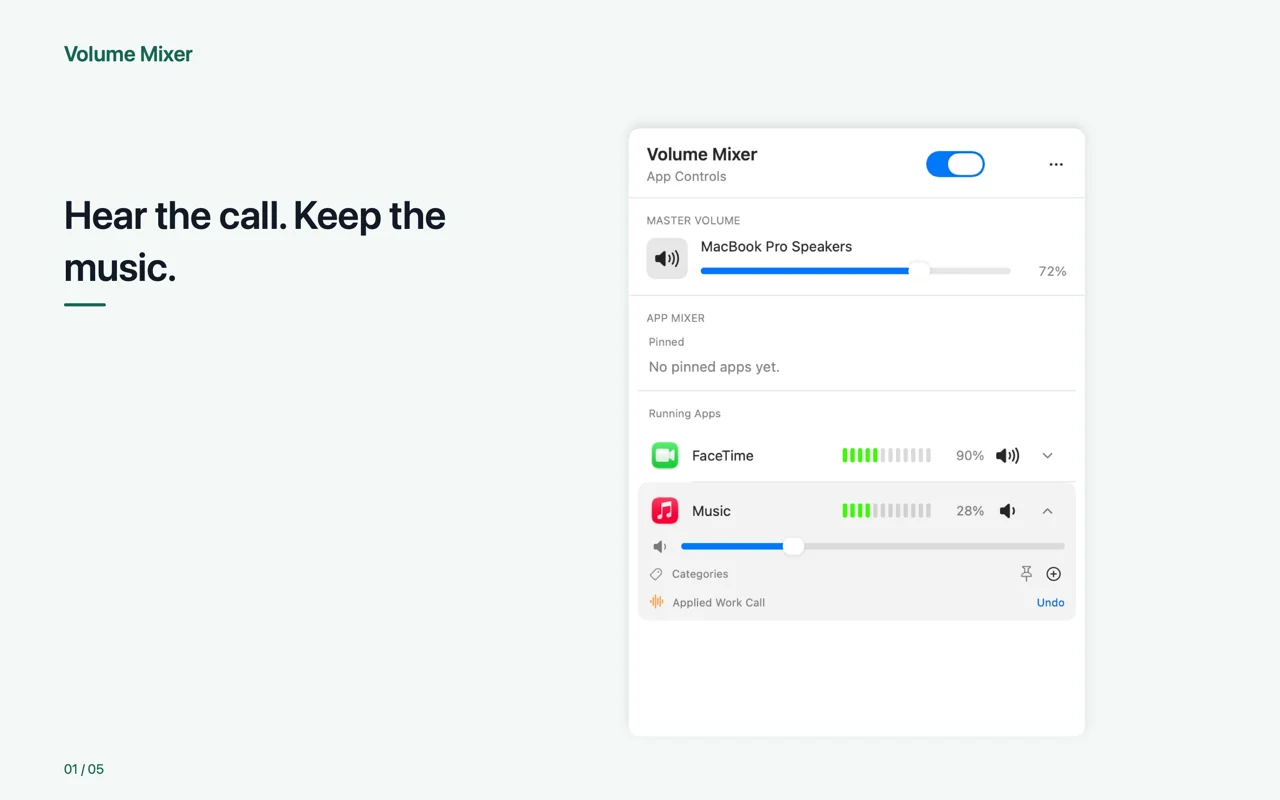
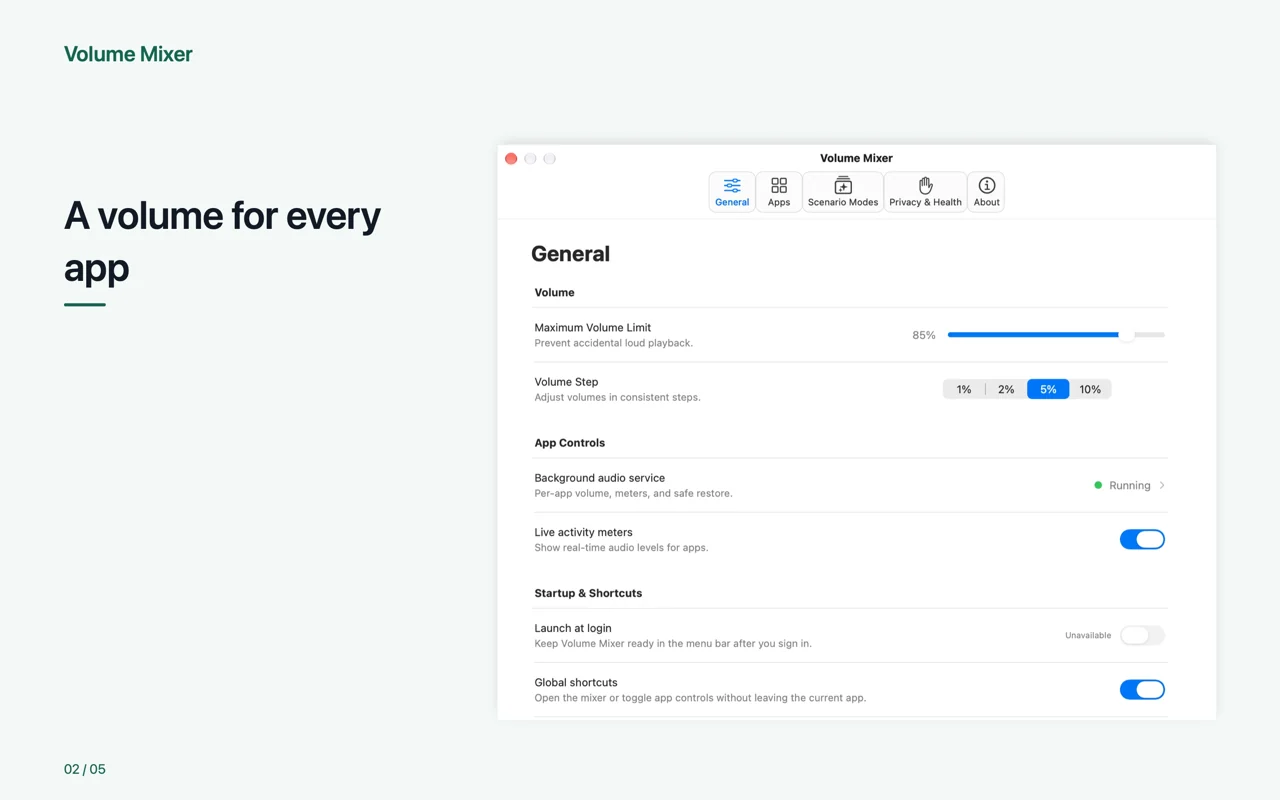
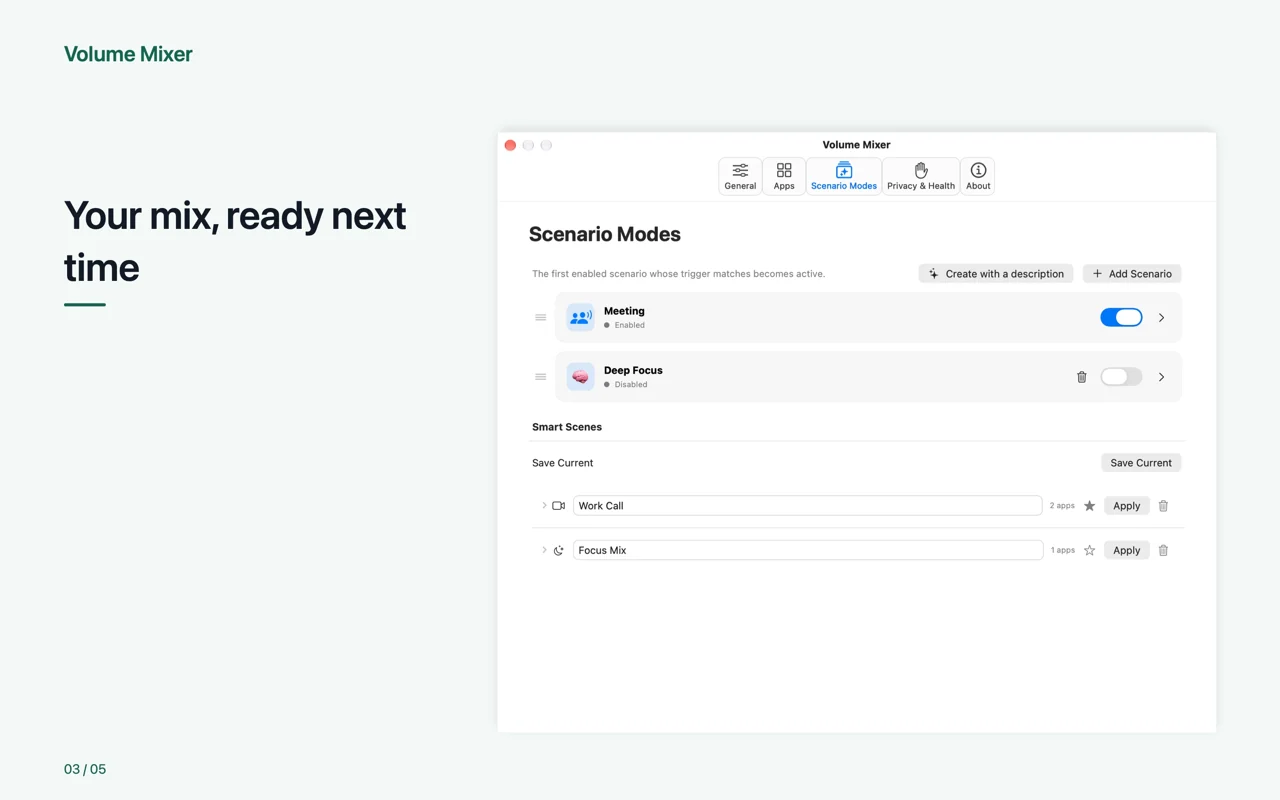
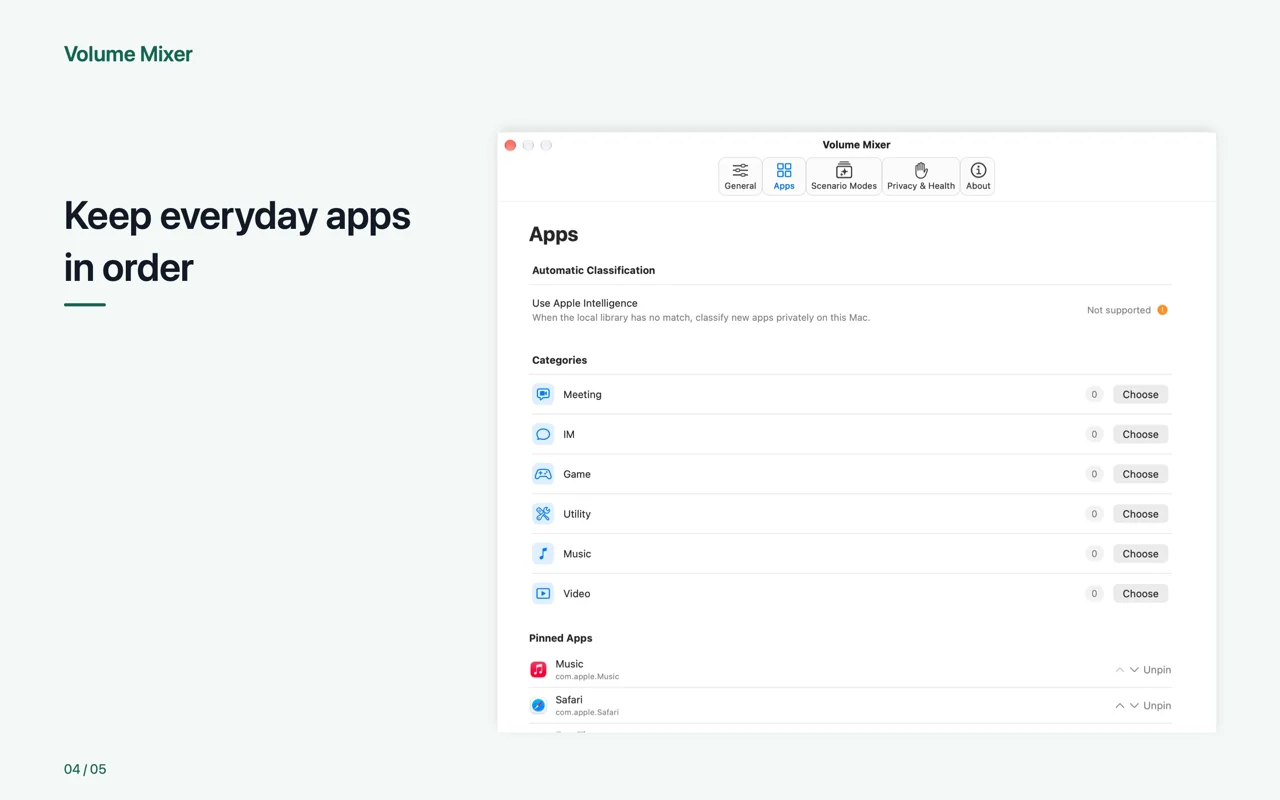
Volume Mixer is a macOS menu bar audio automation tool. Beyond system and per-app volume control, it can adjust compatible apps for meetings, focus, gaming, video, and other situations, then restore them safely when the moment ends.
Start with Meeting Mode
- Tag apps as Meeting, IM, Game, Utility, Music, or Video; one app can belong to multiple categories
- Build Trigger, Reduce Volume, and Mute groups from categories or individual apps
- Enter a mode when a trigger app starts playing audio or is opened
- Set separate levels for the trigger and reduced-volume groups
- Restore 0–15 seconds after the condition ends to avoid abrupt switching
- Keep any volume you changed manually while the mode was active
More than meetings
Create modes for focus, gaming, movies, streaming, or any routine. Give each one a name and system icon or emoji, then choose its groups, trigger, levels, and restore timing. If an app matches more than one group, Volume Mixer applies a clear priority so the result stays predictable.
One complete control panel
- Adjust system volume and control compatible apps individually from the menu bar
- Pin favorites and see audio activity, categories, and compatibility status
- Save a complete mix as a Smart Scene, or use Focus Mix to quiet selected background apps temporarily
- Review local diagnostics and safely recover one app if its audio path develops a problem
Privacy first
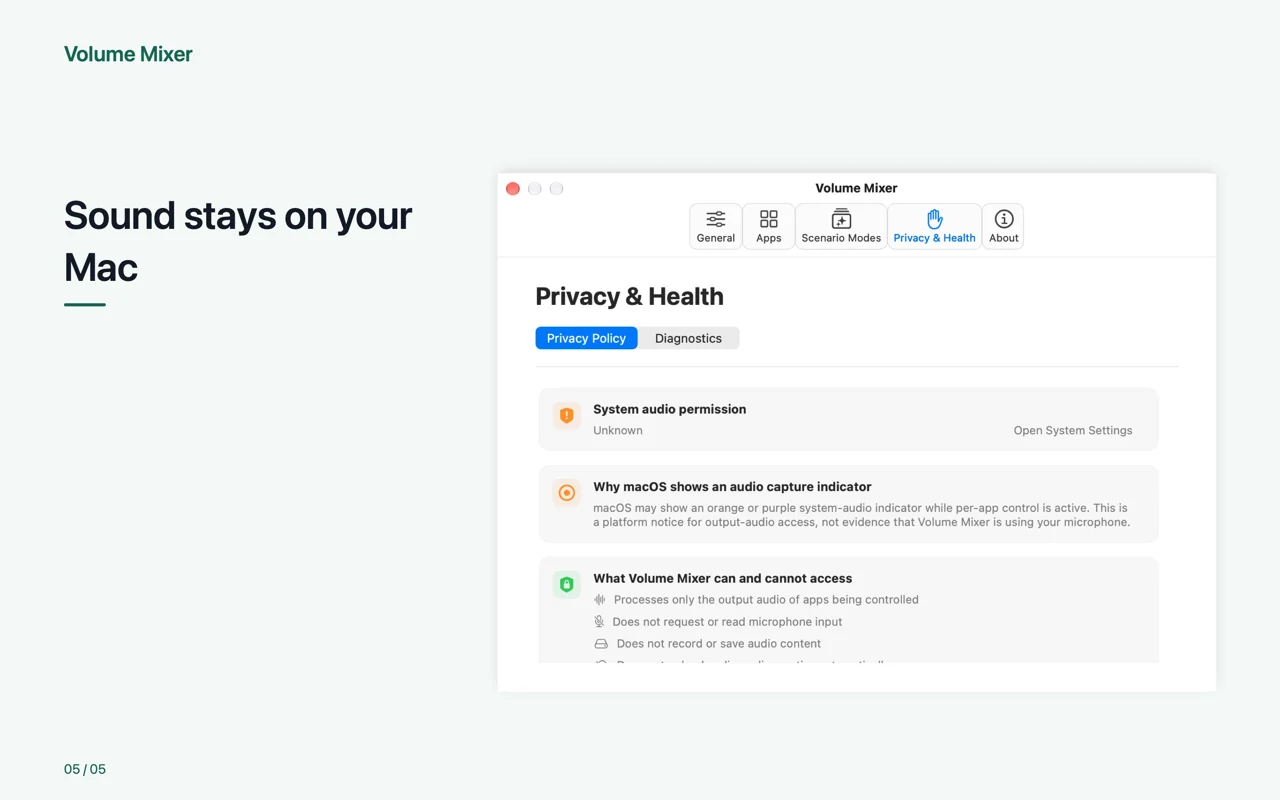
- Never records, stores, analyzes, or uploads audio content
- No Microphone, Accessibility, Input Monitoring, or Full Disk Access permission
- No third-party audio driver or kernel extension
- The built-in classifier works fully offline and uses only app names and bundle IDs
- On macOS 26 and supported Macs, optional Apple Intelligence can provide initial on-device categorization
- Automatic suggestions never overwrite your later manual changes
- Mode rules, audio activity, restoration, and diagnostics stay on your Mac
Requires macOS 14.2 or later. Per-app control depends on the audio interfaces exposed by macOS and each app and requires System Audio Access. macOS may show a system audio or screen-capture indicator as part of its permission model.